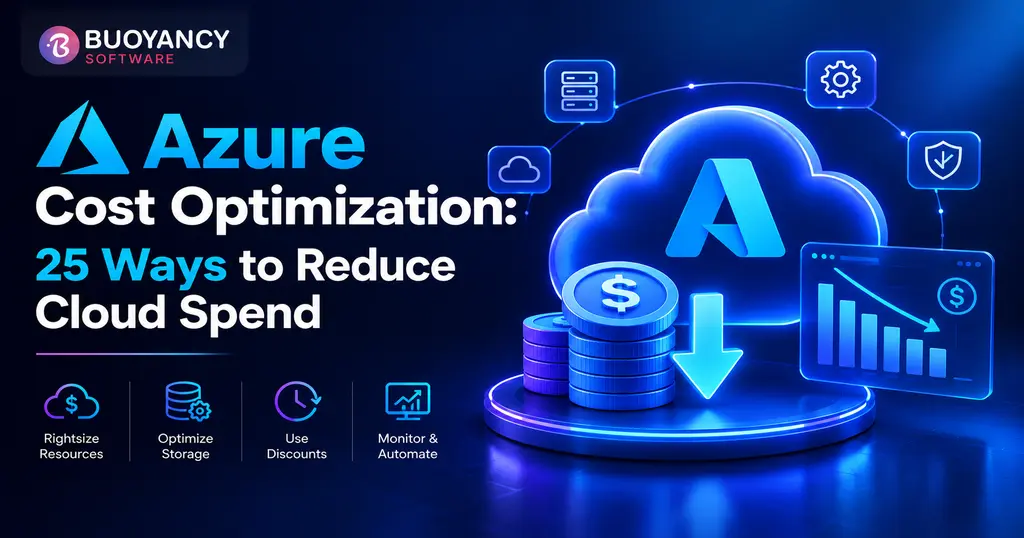
Azure Cost Optimization: 25 Proven Strategies to Reduce Cloud Spending in 2026
A practical breakdown of 25 Azure cost optimization strategies for 2026, from Azure Advisor and Reservations to rightsizing and FinOps governance, built for enterprise and .NET teams looking to cut cloud spend without cutting performance.
Key Takeaways
Visibility enables optimization through Azure Advisor and Cost Management.
Rightsizing and cleanup often deliver immediate savings.
Use discounts for predictable or interruptible workloads.
Early architecture choices reduce long-term costs.
Experienced Azure teams can uncover savings generic FinOps checklists miss.
Most Azure bills don't spiral because a company is reckless. They spiral because nobody's actively watching. A dev team spins up a VM for a proof of concept in March, the project gets shelved in April, and the VM keeps quietly billing through December. Multiply that by every team in a mid-size org and you've got a six-figure line item nobody can fully explain.
This isn't a listicle of generic advice you've read a dozen times. It's 25 specific, actionable moves, grouped by where they actually apply, from turning on visibility tools you probably already pay for, to architectural decisions that change your bill before a single VM gets provisioned. Some of these take ten minutes. A couple take a quarter. All of them are things real teams have done to bring Azure spend back under control without breaking anything in production.
Worth saying upfront: none of this is about cutting for the sake of cutting. A finance team that mandates a flat 20% cloud budget reduction across every department usually ends up starving the workloads that actually drive revenue while barely touching the forgotten dev environment burning money in the background. Good cost optimization finds the second thing without damaging the first.
What Azure Cost Optimization Actually Means
Azure cost optimization isn't about spending less. It's about spending in proportion to value, which sometimes means spending more in one place to cut waste in another. A team that shuts off every non-production VM overnight but leaves an over-provisioned SQL Database running 24/7 hasn't optimized anything. It's just moved the waste around.
Microsoft frames this through the Well-Architected Framework's Cost Optimization pillar, and the underlying discipline behind it, FinOps, treats cloud spend the way finance treats any other capital expense: something to be planned, monitored, and justified, not something that just happens.
The FinOps Foundation breaks this into three ongoing phases rather than a single project: Inform, where teams get real visibility into what's being spent and by whom; Optimize, where rightsizing and discount purchasing actually happen; and Operate, where governance keeps the gains from eroding. Most companies we talk to are strong in Optimize and weak in Operate. They'll do a big cost-cutting push once a year, watch spend creep back up over the following months, and repeat the cycle. A recurring practice in the Operate phase is what actually breaks that cycle.
Where Azure Spend Actually Comes From
Before diving into the 25 strategies, it helps to know which line items typically carry the most weight on an Azure invoice, since that shapes which strategies below will move the needle fastest for your specific environment.
Data sitting in Hot tier long after it's actively needed
Networking and data egress
5-15%
Cross-region traffic and outbound data nobody's tracking
Databases (SQL, Cosmos DB)
10-20%
Fixed provisioned tiers sized for peak, not average, load
Licensing and marketplace add-ons
5-10%
Forgotten trial licenses and unused third-party tools
Compute (VMs, App Service, AKS)
Cost CategoryCompute (VMs, App Service, AKS)
Typical Share of Spend40-60%
Where Waste Usually HidesOversized instances, idle non-production resources
Storage
Cost CategoryStorage
Typical Share of Spend10-20%
Where Waste Usually HidesData sitting in Hot tier long after it's actively needed
Networking and data egress
Cost CategoryNetworking and data egress
Typical Share of Spend5-15%
Where Waste Usually HidesCross-region traffic and outbound data nobody's tracking
Databases (SQL, Cosmos DB)
Cost CategoryDatabases (SQL, Cosmos DB)
Typical Share of Spend10-20%
Where Waste Usually HidesFixed provisioned tiers sized for peak, not average, load
Licensing and marketplace add-ons
Cost CategoryLicensing and marketplace add-ons
Typical Share of Spend5-10%
Where Waste Usually HidesForgotten trial licenses and unused third-party tools
Get Visibility Before You Touch Anything
Cutting costs before you understand where they come from is guesswork. These five moves cost nothing and take an afternoon, not a quarter, and they're the ones most often skipped because they don't feel like "real" optimization work. They are. Visibility is what tells you which of the next twenty strategies are worth your time and which don't apply to your environment at all.
1. Turn on Microsoft Cost Management
It's included with every Azure subscription and most teams never open it past initial setup. Microsoft Cost Management gives you cost analysis, anomaly detection, and exportable reports without installing anything.
2. Set up Azure Budgets with real alert thresholds
A budget with no alert attached is just a number nobody checks. Set alerts at 50%, 80%, and 100% of forecast so surprises show up in an inbox, not an invoice.
3. Actually act on Azure Advisor recommendations
Azure Advisor scans your environment and flags idle VMs, underused reservations, and oversized resources automatically. Most subscriptions we review have Advisor recommendations sitting untouched for months.
4. Tag everything by cost center, environment, and owner
Untagged resources are the reason nobody can answer "whose VM is this" during a budget review. Enforce tagging at creation, not after the fact.
5. Run a Well-Architected cost review before, not after, a major deployment
The Well-Architected Framework's cost pillar exists specifically so architecture decisions get a cost lens early, when changing course is cheap.
Rightsizing and Cutting Waste
This is where most of the real money hides, and it's the least glamorous part of the whole exercise. None of these six strategies require new tooling or a procurement conversation. They mostly require someone to actually look.
6. Rightsize VMs based on actual utilization, not the size someone guessed at launch
A VM sitting at 12% average CPU for three months is not a workload that needs that SKU. Advisor's rightsizing recommendations are a good starting point, not the final word.
7. Shut down or deallocate non-production VMs outside business hours
Dev and test environments running nights and weekends can easily double their real cost for zero benefit. Automated start/stop schedules fix this in an afternoon.
8. Delete unattached managed disks and unused public IPs
These accumulate silently after VMs get deleted or resized, and they bill every month whether anyone remembers them or not.
9. Turn on auto-scaling for App Service and Virtual Machine Scale Sets
Provisioning for peak load and running that capacity around the clock is one of the most common sources of quiet overspend in web applications.
10. Right-size Azure Kubernetes Service node pools and enable the cluster autoscaler
AKS clusters sized for a launch-day traffic spike that never came back down are a recurring pattern in cost reviews. Autoscaling node pools track actual demand instead.
11. Clean up orphaned snapshots and stale backups
Snapshot sprawl is invisible until someone finally audits storage, and by then it's often thousands of dollars a month in disks nobody needs anymore.
Commitment-Based Discounts: Reservations, Savings Plans, Spot, and Hybrid Benefit
Once usage is trimmed down to what you actually need, it's worth locking in a discount on what's left. Azure gives you four real levers here, and they're not interchangeable.
Option
Typical Discount
Best For
Reserved Instances
Up to 72% vs. pay-as-you-go
Stable, predictable workloads on a fixed VM size and region
Savings Plans for Compute
Up to 65% vs. pay-as-you-go
Workloads that shift between VM families, regions, or services
Spot Virtual Machines
Up to 90% vs. pay-as-you-go
Interruptible, fault-tolerant workloads like batch jobs or CI/CD
Azure Hybrid Benefit
Removes the licensing premium on eligible VMs
Organizations with existing Windows Server or SQL Server licenses
Reserved Instances
OptionReserved Instances
Typical DiscountUp to 72% vs. pay-as-you-go
Best ForStable, predictable workloads on a fixed VM size and region
Savings Plans for Compute
OptionSavings Plans for Compute
Typical DiscountUp to 65% vs. pay-as-you-go
Best ForWorkloads that shift between VM families, regions, or services
Spot Virtual Machines
OptionSpot Virtual Machines
Typical DiscountUp to 90% vs. pay-as-you-go
Best ForInterruptible, fault-tolerant workloads like batch jobs or CI/CD
Azure Hybrid Benefit
OptionAzure Hybrid Benefit
Typical DiscountRemoves the licensing premium on eligible VMs
Best ForOrganizations with existing Windows Server or SQL Server licenses
12. Buy Reservations for workloads that genuinely don't move
Reservations deliver the deepest discount of the four, but only pay off if the resource stays the same size and region for the full term. Guess wrong and you're stuck paying for capacity you're not using.
13. Layer Savings Plans over workloads that shift around
Savings plans commit to an hourly spend rather than a specific VM, so they follow your usage across families and regions. Slightly lower discount than a Reservation, considerably more flexibility.
14. Push interruptible workloads onto Spot VMs
Spot Virtual Machines use Azure's unused capacity at steep discounts, with the tradeoff that Azure can reclaim the VM with 30 seconds' notice. Great for batch rendering and CI pipelines; a bad idea for anything customer-facing.
15. Apply Azure Hybrid Benefit to eligible Windows Server and SQL Server workloads
If your organization already owns licenses with Software Assurance, Hybrid Benefit lets you apply them to Azure VMs instead of paying the built-in licensing cost twice.
16. Use Dev/Test pricing for non-production subscriptions
Azure's Dev/Test pricing removes the licensing cost from Windows and SQL Server images specifically for environments used to build and test, not to serve customers.
Storage and Database Optimization
Storage costs get less attention than compute, mostly because a single storage account rarely looks alarming on its own. Multiply that by years of accumulated logs, backups, and forgotten test data across every project, and it adds up faster than most teams expect.
17. Set up lifecycle management policies to auto-tier storage
Data that's rarely accessed after 30 days doesn't need to sit in the Hot tier. Lifecycle rules move it to Cool or Archive automatically, and the price difference between tiers is substantial.
18. Match storage redundancy to actual risk tolerance
Geo-redundant storage costs meaningfully more than locally redundant storage. Plenty of workloads are using GRS by default when LRS would meet the actual business requirement.
19. Move variable-workload databases to serverless or elastic pools
Azure SQL Database's serverless tier scales compute automatically and pauses during inactivity, which suits dev environments and unpredictable workloads far better than a fixed provisioned tier.
Architecture-Level Optimization for Enterprise and .NET Applications
The strategies above all optimize what's already running. This section is about decisions made earlier, at the architecture stage, that shape the bill before deployment even happens. This is also where enterprise applications tend to differ most from a simple web app, since compliance requirements, integration points, and legacy dependencies all pull architecture decisions in directions that don't always align with the cheapest option on paper. This is usually where an experienced Azure development team earns its keep, since getting these tradeoffs right requires knowing both the platform and the specific constraints of the application.
20. Pick the right App Service and Azure Functions plan for the workload
A Premium App Service plan running a low-traffic internal tool is money left on the table. Consumption-based Functions plans exist specifically for workloads that don't run constantly.
21. Take advantage of .NET's own performance improvements to shrink your compute footprint
Modern .NET's ahead-of-time compilation and smaller memory footprint mean .NET applications built on current runtimes often need fewer or smaller instances to handle the same load than the same app built five years ago. Performance work is cost optimization, even though it rarely gets filed under that heading.
22. Use spot node pools and cluster autoscaling together in AKS
Combining Azure Kubernetes Service's autoscaler with spot node pools for stateless, fault-tolerant workloads compounds savings beyond either strategy on its own.
23. Consolidate low-traffic workloads instead of running one resource group per app
Ten internal tools each running on a dedicated App Service plan is a common pattern in growing organizations, and it's rarely necessary. Shared plans and multi-tenant architecture cut the per-app overhead substantially.
Governance and Building a FinOps Habit
Everything above is a one-time or periodic action. These last two are what keep costs from creeping back up six months later, and they're the two most commonly skipped, since neither one shows up as a satisfying dollar figure saved on the day you implement it.
24. Enforce cost governance with Azure Policy
Policies that restrict which VM SKUs, regions, or service tiers teams can deploy prevent cost problems before they start, rather than catching them in a monthly review.
25. Build a recurring FinOps review, even a lightweight one
A 30-minute monthly review of Cost Management dashboards, Advisor recommendations, and reservation utilization catches drift long before it becomes a budget crisis. Organizations with a genuine FinOps practice tend to treat cost the way they treat security: an ongoing discipline, not a project with an end date.
Quick ChecklistReservations on stable workloads, Savings Plans on flexible ones, Spot VMs where interruption is acceptable
Storage
CategoryStorage
Quick ChecklistLifecycle tiering enabled, redundancy level matched to actual risk
Architecture
CategoryArchitecture
Quick ChecklistRight service tier chosen per workload, .NET runtime current, containers using autoscaling
Governance
CategoryGovernance
Quick ChecklistAzure Policy enforced, FinOps review scheduled and actually happening
How to Optimize Azure Costs Before Deployment
The cheapest cost optimization happens before a single resource exists. Running a workload through the Azure Pricing Calculator during design, not after launch, surfaces expensive assumptions while they're still just assumptions. Pair that with an early architecture review, and decisions like which database tier or App Service plan to use get made with cost as a real input, not an afterthought discovered on the first invoice.
Common Mistakes That Undo Cost Optimization Efforts
A few patterns show up again and again in cost reviews. Buying Reservations for workloads that turn out to be seasonal, not stable, locks in a discount on capacity nobody uses half the year. Treating a cost optimization pass as a one-time event rather than an ongoing habit means savings erode back within two or three quarters. And optimizing compute while ignoring data egress and networking charges misses a cost category that, for data-heavy applications, can rival the compute bill itself.
Here's a version of this we see constantly: a team buys a three-year Reservation for a VM family right before a planned migration to containers. Eighteen months later, the workload's on AKS, the original VM family sits unused, and the Reservation can't be canceled without an early termination cost. The fix isn't avoiding Reservations. It's checking your own roadmap before committing to one, since a three-year discount on infrastructure you're planning to retire in year two isn't a discount at all.
Why This Guide
Buoyancy Software is a Microsoft Solutions Partner and an ISO 9001 and ISO 27001 certified custom software and IT consulting company, with delivery teams in Ahmedabad, India and Edison, New Jersey. Our engineers apply this same rightsizing and architecture review process when we take on custom application development work for clients running on Azure.
Not Sure Which of These 25 Apply to Your Environment?
Reading a checklist and running an actual Azure cost audit are two different things. Buoyancy Software's Azure development team has worked through this exact process for enterprise clients, from rightsizing production workloads to redesigning architecture around cost efficiency without sacrificing performance. You can browse some of that client work to see the kind of environments we've optimized.
Book a free consultation and get a clear-eyed look at where your Azure spend is actually going, and what's realistic to cut.
Get answers to the most common questions about our products, services, and policies.
How do I reduce Azure costs quickly?
Start with the fastest, no-cost wins: deallocate idle VMs, delete unattached disks and public IPs, and turn on auto-scaling for anything over-provisioned for average load. These typically surface savings within days, before you touch any commitment-based discount.
What's the difference between Azure Reservations and Savings Plans?
Reservations lock in a discount for a specific VM size and region, offering a deeper discount but less flexibility. Savings Plans commit to an hourly spend amount instead and apply automatically across eligible services and regions, trading a slightly smaller discount for a lot more flexibility.
How much can Azure Hybrid Benefit actually save?
It depends on your existing licensing and which discounts you stack it with. Hybrid Benefit removes the built-in licensing cost from eligible Windows Server and SQL Server VMs, so the real savings scale with how much of your fleet already has Software Assurance-covered licenses.
Should I optimize Azure costs before or after deploying an application?
Before, whenever possible. Running your planned architecture through the Azure Pricing Calculator and a Well-Architected cost review during design catches expensive decisions while changing course is still cheap, rather than after the first invoice arrives.
How often should a company review its Azure costs?
Monthly, at minimum, through Cost Management and Advisor recommendations. Organizations with mature FinOps practices treat this as a standing recurring review, not a one-time audit, since usage patterns and pricing both shift over time.
Can small businesses use the same Azure cost optimization strategies as enterprises?
Most of them, yes. Rightsizing, tagging, budgets, and auto-scaling apply at any scale. Reservations and Savings Plans matter less until usage is large and predictable enough to commit to, so smaller teams often get more immediate value from the visibility and cleanup strategies than the commitment-based ones.