October 26, 2026
Azure SRE Agent: Complete Guide to AI-Powered Site Reliability Engineering
Azure SRE Agent explained: how it investigates incidents, automates remediation, integrates with Azure Monitor and AKS, and what it actually costs in 2026.


We have successfully completed projects with dedication to the highest levels of customer satisfaction.

Paycheck analysis service to ensure accurate compensation.

Web logistics solution for streamlined shipping and tracking.

Web platform for marketplace management and business insights.

Web solution for legal professionals with powerful case management.

Web software for handling and optimizing business operations.

An IoT-powered smart home app for efficient climate and air quality automation.

Interactive city discovery experience for events and places.

SaaS platform that turns inventory spreadsheets into online resale storefronts.
Inspire trust and foster an ethical culture to thrive.
 Excellence
 Transparency & Integrity
 Innovation
 Collaboration
 Accountability


We partners with businesses to simplify technology, unlock innovation, and build secure, scalable solutions that support long-term success.

Azure SRE Agent explained: how it investigates incidents, automates remediation, integrates with Azure Monitor and AKS, and what it actually costs in 2026.
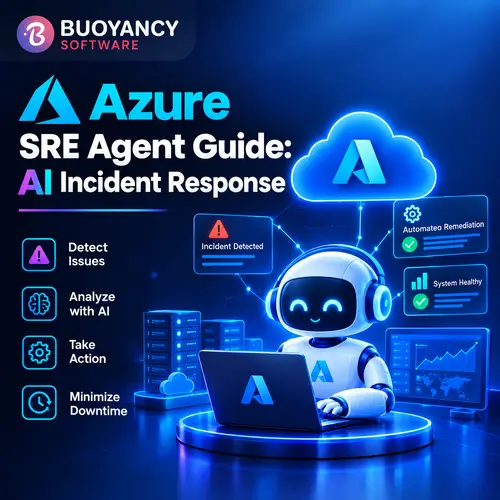
A 2 a.m. page used to mean one thing. Someone opens five dashboards, greps through logs across three services, and tries to piece together what changed before the customer calls. That's the job Azure SRE Agent is going after. Compress hours of that scramble into minutes. And since it hit general availability on March 10, 2026, it's not some lab experiment, it's already running inside Microsoft's own production environment at a scale big enough that it's hard to wave off as hype.
So what's actually in this guide: what the thing does, how it slots into an Azure Monitor and Application Insights setup you probably already have, what it costs, and, honestly, where the early results hold up versus where they don't. No marketing copy. Just what you'd want to know before trusting it anywhere near a production incident.
Azure SRE Agent investigates incidents, digs out the root cause, and in a lot of cases fixes the problem, all without a human opening a dashboard first. Microsoft calls it an AI SRE teammate, not a monitoring dashboard, and that word choice actually means something here. It's not just surfacing an alert and walking away. It's reasoning across your telemetry, your source code, your infrastructure state, trying to explain what actually broke.
GA landed March 10, 2026, after about a year bouncing around in preview. And Microsoft hasn't been shy about where it came from: this wasn't built for customers first. It was built to fix Microsoft's own operational headaches, and SRE Agent was already running against internal production services well before anyone outside the company could touch it. That's a more honest origin story than most enterprise AI tools bother telling.
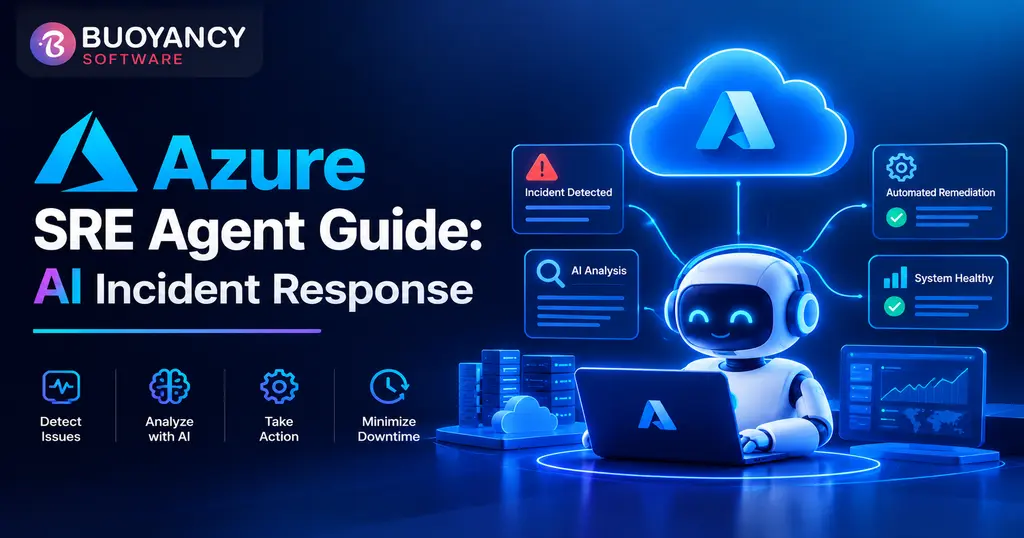
The clock starts the moment an alert fires, not whenever someone happens to notice it. SRE Agent grabs the signal from Azure Monitor, or PagerDuty, or ServiceNow, depending on how you've wired things up, then pulls logs, metrics, traces, and recent code changes into one working theory of what went wrong. What happens after that is entirely up to the response mode you've set.
| Mode | What the Agent Does |
|---|---|
| Autonomous | Investigates and acts independently, including applying fixes and restarting containers, without waiting for approval |
| Review | Diagnoses the issue and proposes a fix, but waits for a human to approve before taking action |
| Reader | Read-only investigation and analysis; the agent never makes changes to any resource |
Most teams don't start in Autonomous mode, and Microsoft doesn't really expect them to. Review mode is the common on-ramp: the agent does the investigative heavy lifting, a human stays in the approval loop, and trust builds from there. Autonomous mode tends to get reserved for well-understood, low-risk incident types, like restarting a container stuck in a known bad state, not for anything touching customer data directly.
| Capability | What It Means in Practice |
|---|---|
| Root cause analysis | Correlates telemetry across app, platform, and infrastructure layers and explains the cause in plain language, not just a stack trace |
| Memory and learning | Builds its own knowledge base from past investigations, so recurring issues get resolved faster each time |
| Deep context | Has standing access to source code, logs, metrics, traces, and infrastructure state rather than pulling each separately per incident |
| Proactive detection | Runs scheduled health checks and security audits against Azure resources, not just reactive alert response |
| MCP connectors | Connects to external systems, observability tools, and incident platforms through Model Context Protocol instead of custom integrations |
AIOps isn't new. Anomaly detection, alert correlation, and dashboard aggregation have existed in various forms for years. What's different here is the gap between detecting a problem and actually resolving it, which is exactly the part most AIOps tooling has always punted back to a human.
| Factor | Traditional AIOps / Monitoring | Azure SRE Agent |
|---|---|---|
| Primary job | Detect anomalies, correlate alerts, reduce noise | Investigate, diagnose, and optionally remediate |
| Output | A prioritized alert or dashboard for a human to act on | A root cause explanation, and in Autonomous mode, a fix already applied |
| Context handling | Usually limited to metrics and logs it was configured to watch | Standing access to source code, infrastructure state, and historical incidents |
| Action capability | Typically none; triggers a notification or runbook at most | Can execute remediation directly, within configured permissions |
None of this makes traditional monitoring obsolete. SRE Agent still depends on Azure Monitor and Application Insights for the raw telemetry it reasons over. It's better understood as a layer that sits on top of what you already have, turning data your monitoring stack was already collecting into an actual diagnosis instead of another dashboard tile nobody checks until something's already on fire.
This is where the "complete guide" framing actually matters, because the agent is only as useful as the systems it can see into. According to Microsoft's own documentation, SRE Agent connects to Azure Monitor (which includes Azure Application Insights telemetry), Azure Resource Manager, Azure Data Explorer, and Azure DevOps natively. It also integrates with Azure Kubernetes Service, Azure App Service, Azure Functions, and Azure SQL as target resources it can investigate and act on, and connects to GitHub and GitHub Enterprise for code-level context and follow-up pull requests.
For teams running incident management outside Azure's own tools, SRE Agent also supports PagerDuty and ServiceNow as incident platforms, routing their alerts through the same investigation and response plan logic it uses for Azure Monitor. The MCP connector support means that list isn't really fixed either. Anything exposing an MCP-compatible interface can, in principle, become another source of context for the agent.
Case studies this early in a product's life tend to be cherry-picked, and it's fair to read them with some skepticism. That said, Microsoft has published specifics rather than vague percentages pulled from nowhere, which at least makes the claims checkable.
| Organization | Reported Result |
|---|---|
| Microsoft (internal) | 1,300+ agents deployed, 35,000+ incidents mitigated, approximately 20,000 engineering hours saved |
| Azure Container Apps team | 89% positive feedback on root cause analysis accuracy, covering over 90% of incidents |
| InEight | Incident investigation down 80%, build failure triage down 80%, bug investigation down 67% |
| Provation | Incident triage reduced from hours to minutes within the first month of use |
Worth noting: three of these four are either Microsoft itself or customers featured directly on Microsoft's own blog, so treat them as a ceiling, not a guaranteed outcome for every environment. The InEight and Provation numbers are specific enough, and different enough in shape, that they read as more than marketing copy. Your own results will depend heavily on how clean your telemetry already is going in.
SRE Agent is opt-in, and it's billed separately from your Microsoft 365 or Copilot licensing, so turning it on doesn't touch those contracts at all. It runs on a consumption model built around Azure Agent Units, or AAUs: an always-on baseline cost per deployed agent, plus usage-based charges that climb with how hard the agent is actually working. As of April 15, 2026, Microsoft calculates that usage component per one million tokens processed during active investigation.
Here's what that means in practice. A quiet week costs you close to the baseline, nothing dramatic. A week where the agent's chewing through a major incident costs more. Fair trade, honestly, if it's saving engineering hours that would've gone to manual triage anyway. Just don't budget it like a flat monthly SaaS fee. Model it against your actual incident volume instead, because the usage-based piece is exactly where teams get surprised later.
It's more than flipping a toggle, but it's not a multi-month rollout either. Create the agent resource, either in the Azure portal or the dedicated SRE Agent portal. Scope its RBAC permissions to the resource groups it actually needs to investigate. Connect an incident source: Azure Monitor, PagerDuty, ServiceNow, whatever you're already running. Then build a response plan, deciding what counts as a match on severity and service, which agent or skill handles which incident type, and what response mode each category gets.
Teams tend to rush the permission scoping step. Don't. An agent sitting in Autonomous mode with broad RBAC access on a resource group it barely touches isn't a hypothetical risk, it's a real one, and a fairly obvious one at that. It's also exactly why Microsoft rolled out a formal hooks and tool-permissions model at Build 2026: enterprise customers pushed back on this specific worry hard enough that Microsoft built a direct answer to it.
A first response plan that actually works usually stays small on purpose. One or two incident types you already understand well. Review mode, not Autonomous. One resource group you're fine experimenting against. Give it a few weeks, compare its root cause calls to what your engineers would've found on their own, then expand from there, either more incident types or more autonomy, never both at once. The teams who get real value out of this treat the rollout as trust-building. The ones who bail after the first false positive treated it as a one-time setup task and moved on too fast.
It's a strong fit for teams already running a meaningful footprint on Azure Monitor and Application Insights, with enough incident volume that manual triage is a real time sink rather than an occasional annoyance. Teams with fewer than a handful of production incidents a month may find the always-on baseline cost hard to justify against the time it actually saves. It's also worth having your observability house in reasonably good order first. An agent correlating incomplete or inconsistent telemetry will produce confident-sounding root cause analysis that's still wrong, which is arguably worse than no automation at all.
A reasonable gut check: if your team can already point to specific recurring incident types, the stuck container, the connection pool exhaustion, the same flaky downstream dependency, that eat hours every month, those are good first candidates for a response plan. Trying to cover every possible incident type on day one is how teams end up frustrated with the tool rather than with their own rollout plan.
Buoyancy Software is a Microsoft Solutions Partner and ISO 27001 certified custom software and IT consulting company, with delivery teams in Ahmedabad, India and Edison, New Jersey. Our Azure team helps clients evaluate where tools like SRE Agent genuinely reduce operational toil versus where the existing setup needs cleanup first.
Rolling out Azure SRE Agent well means more than clicking Create. It means clean telemetry, scoped permissions, and response plans built around how your team actually handles incidents today. Buoyancy Software's AI consulting team can assess your current Azure Monitor and Application Insights setup and help you roll out SRE Agent in Review mode before trusting it with Autonomous actions.
Book a free consultation and find out whether AI-powered incident response is a genuine fit for your environment right now.
Get answers to the most common questions
about our products, services, and policies.