How to Build a Real-World AI Agent with Microsoft Agent Framework, Foundry, MCP, and Aspire
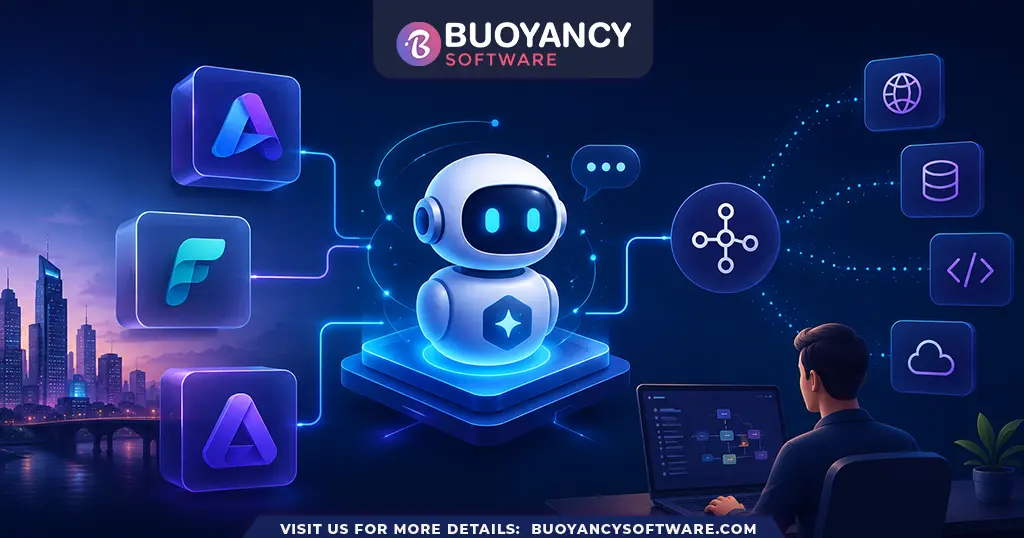
This guide explains how to build a real-world AI agent using Microsoft Agent Framework for orchestration, Microsoft Foundry Agent Service for managed deployment, MCP for secure tool access, and Aspire for local distributed app development.
Key Takeaways
Start with a narrow business workflow, not a generic chatbot.
Use MCP tools with scoped permissions and human approval for risky actions.
Run the full agent system locally with Aspire before cloud deployment.
Use Foundry for hosting, observability, identity, and enterprise governance.
How Microsoft Agent Framework, Foundry, MCP, and Aspire Work Together
The easiest AI agent demo is a chat box that calls one function and returns an answer. The hard part starts when the agent reads data, asks for approval, calls tools, keeps context, logs decisions, and runs unattended. That is where Microsoft Agent Framework, Microsoft Foundry Agent Service, Model Context Protocol, and Aspire fit together.
Think of the agent as a careful operations assistant. It checks systems, prepares a plan, calls tools, validates results, and explains what happened. In this guide, we will build a production agent using Agent Framework for logic, Foundry for hosting, MCP for tool access, and Aspire for local orchestration.
A real AI agent should earn trust the same way a good teammate does: by showing its work, respecting limits, and knowing when to ask a human.
The business problem: an agent that handles support triage
Let us use a realistic example. A SaaS company wants an AI agent that reviews support tickets, checks account status, searches product docs, looks at incidents, suggests a priority, drafts a reply, and creates a follow-up task when engineering is needed. This is a perfect agent use case because it is repetitive, data-heavy, and still needs human control for sensitive decisions.
The agent should not have unrestricted access to everything. It needs scoped tools: read customer profile, search knowledge base, check incident status, create task, and draft email. It also needs policy rules: never promise refunds, never expose private notes, and ask for approval before creating a high-priority engineering issue.
If your team is planning this kind of workflow, our AI integration services help connect agents with real enterprise systems while keeping data access and business rules under control.
How the Microsoft stack fits together
Microsoft Agent Framework gives developers the building blocks for agent behavior: model clients, tools, sessions, context providers, middleware, and workflows. Foundry Agent Service gives the managed runtime for deploying and scaling agents, including identity, observability, tools, model choice, and publishing options. MCP exposes external tools and context. Aspire gives a practical local development experience for the distributed parts around the agent.
Keeps the agent code structured instead of becoming prompt glue
Microsoft Foundry Agent Service
Managed hosting, scaling, identity, observability, model access
Makes the agent easier to operate in an enterprise environment
MCP
Standard tool and data connections
Lets the agent use external systems without custom integration for every client
Aspire
Local orchestration, service discovery, telemetry, dependencies
Helps developers run the full agent system before deployment
Microsoft Agent Framework
LayerMicrosoft Agent Framework
What it handlesAgent logic, sessions, tools, workflows, middleware
Why it mattersKeeps the agent code structured instead of becoming prompt glue
Microsoft Foundry Agent Service
LayerMicrosoft Foundry Agent Service
What it handlesManaged hosting, scaling, identity, observability, model access
Why it mattersMakes the agent easier to operate in an enterprise environment
MCP
LayerMCP
What it handlesStandard tool and data connections
Why it mattersLets the agent use external systems without custom integration for every client
Aspire
LayerAspire
What it handlesLocal orchestration, service discovery, telemetry, dependencies
Why it mattersHelps developers run the full agent system before deployment
Step 1: Design the agent before writing code
Start with the job, not the model. For our support triage agent, the job is simple: understand the ticket, gather context, recommend the next action, and prepare a response. The agent should return priority, reason, customer-facing draft, internal notes, and suggested follow-up task.
This design step is where many AI projects go wrong. A vague instruction like "help support agents" creates unpredictable behavior. A better instruction says what the agent can do, which tools it may call, how it should handle missing data, and when it should stop for human review.
Define the agent's exact responsibility and output format.
List the tools it needs and the permissions for each tool.
Write refusal and escalation rules before connecting production data.
Decide what must be logged for audit and debugging.
For agent workflows that rely on .NET APIs, identity, and Azure services, many teams prefer to hire .NET developers who understand both application architecture and production operations.
Step 2: Build the agent logic with Microsoft Agent Framework
Agent Framework is useful because it treats the agent as an application component, not just a prompt. You can create an agent, stream responses, add tools, maintain sessions, inject persistent context, and compose workflows when one agent call is not enough. For support triage, the first step can classify the ticket while the next gathers customer and incident context.
Keep the first version boring. Give the agent three or four high-value tools, not twenty. In production, fewer tools usually means clearer reasoning, easier testing, and better security review. A good first tool set might include knowledgeBaseSearch, getCustomerAccount, getIncidentStatus, and createEngineeringTask.
// Pseudo-shape only. Keep production implementation tied to your SDK version.
const triageResult = await supportAgent.run({
  ticketId,
  customerMessage,
  requiredOutput: "priority, reason, draftReply, internalNotes, nextAction",
});
The important point is not the exact syntax. The important point is the boundary. Your business application should pass clean inputs to the agent and expect a structured result back. That makes the agent testable and keeps the rest of the system from depending on a free-form paragraph.
Step 3: Connect tools through MCP
MCP is attractive because it gives agents a common way to discover and call tools. Instead of building a separate integration pattern for every model client, you can expose approved business capabilities through MCP servers. A support MCP server might search documentation, read ticket metadata, or create a task in your project system.
Security matters here. Do not expose raw database access as an agent tool. Wrap each action behind a narrow business function. A tool called createRefundWithoutApproval is dangerous. A tool called prepareRefundRequestForReview is safer because it keeps the human decision in the loop. The same thinking applies to file access, CRM records, billing data, and deployment tools.
When tool design becomes the hard part, our MCP development services can help define secure MCP servers, tool contracts, approval flows, and logging around agent actions.
Step 4: Use Aspire to run the local agent system
A real AI agent rarely runs alone. It may depend on an API, a database, Redis, a vector store, an MCP server, a background worker, and a web dashboard. Aspire lets you describe that distributed application in a code-first AppHost, then run it locally with endpoints, logs, health, and dependencies visible.
For this support agent, the Aspire AppHost might include the support API, agent worker, MCP server, Postgres database, cache, and dashboard. That gives developers a realistic environment without manually starting five terminals and guessing which service failed.
Component
Local role in Aspire
Production concern
Support API
Receives tickets and shows triage results
Authentication, rate limits, API versioning
Agent worker
Runs Agent Framework logic
Timeouts, retries, model cost, audit trails
MCP server
Exposes approved tools
Tool permissions, network access, approval gates
Database
Stores tickets and decisions
Retention, encryption, backup, compliance
Telemetry
Shows traces, logs, health
Incident response and continuous improvement
Support API
ComponentSupport API
Local role in AspireReceives tickets and shows triage results
Production concernAuthentication, rate limits, API versioning
Agent worker
ComponentAgent worker
Local role in AspireRuns Agent Framework logic
Production concernTimeouts, retries, model cost, audit trails
MCP server
ComponentMCP server
Local role in AspireExposes approved tools
Production concernTool permissions, network access, approval gates
Database
ComponentDatabase
Local role in AspireStores tickets and decisions
Production concernRetention, encryption, backup, compliance
Telemetry
ComponentTelemetry
Local role in AspireShows traces, logs, health
Production concernIncident response and continuous improvement
Step 5: Deploy and govern with Microsoft Foundry
Once the agent works locally, Foundry Agent Service becomes the managed layer for running it at scale. Foundry supports prompt agents, workflow agents, and hosted code-based agents. It also brings model selection, tool configuration, managed identity, observability, content safety, and publishing into one place.
For a business agent, this is where you decide how much control you need. A simple internal assistant might start as a prompt agent with configured tools. A more complex support triage system may need a hosted agent because the orchestration, validation, and approval logic live in code. Teams should also note that some Foundry agent features and MCP options may be in preview, so production planning should include region, support, and SLA review.
If Azure hosting, identity, and deployment choices are part of the roadmap, you can hire Azure developers to build the cloud foundation around the agent instead of treating deployment as an afterthought.
A practical architecture for the first release
The first release should not automate the entire support department. A better target is assisted triage. The agent prepares a recommendation, but a support lead reviews it before any customer-facing action. That creates value while collecting feedback to improve the agent safely.
Ticket enters the support API from email, portal, or chat.
Agent Framework receives the ticket text and known metadata.
The agent calls MCP tools to search docs, account data, and incidents.
The agent produces structured triage with priority and draft reply.
A human approves, edits, or rejects the recommendation.
Approved actions are stored with tool calls, timestamps, and reasoning summary.
This is not flashy, but it is useful. Support saves time, customers get faster first responses, managers see patterns earlier, and engineering receives cleaner issue reports. That is what separates a real-world AI agent from a clever demo.
What to test before calling it production-ready
Agent testing needs more than unit tests. Feed the agent old tickets, angry messages, vague messages, billing complaints, security-related requests, and cases where the knowledge base is wrong. Then check not just the answer, but the path the agent took.
The most valuable test cases are uncomfortable ones. What happens when a customer asks for another customer's data? What if an MCP tool returns partial results? What if the incident system is down? Real users will find these edges quickly, so your test suite should find them first.
For teams building customer-facing copilots, support agents, or internal automation tools, it can be useful to hire generative AI developers who can combine prompt quality with software engineering discipline.
Common mistakes to avoid
The first mistake is giving the agent too much power too early. Start with read-only tools, then add write actions behind approval. The second mistake is hiding the agent's decisions. If nobody can inspect tool calls and intermediate decisions, debugging becomes guesswork. The third mistake is measuring only response quality. You also need to measure tool accuracy, escalation rate, human edit rate, latency, and cost per resolved ticket.
One more mistake is treating the model as permanent. Foundry makes it easier to work with different models, but your architecture should still isolate model choice from business logic. The agent should produce the same structured contract whether the underlying model changes this quarter or next year.
Final thoughts
Microsoft Agent Framework, Foundry, MCP, and Aspire work well together because they cover different parts of the problem. Agent Framework shapes the reasoning and orchestration. MCP connects approved tools. Aspire gives developers a clean way to run the system locally. Foundry brings managed hosting, governance, observability, and enterprise deployment options.
The real lesson is simple: build the agent like software, not like a long prompt. Give it a narrow job, controlled tools, clear outputs, useful telemetry, and a release path that earns trust gradually. Do that, and your agent has a much better chance of becoming part of daily work instead of another experiment people forget after the demo.
Need a production-ready AI agent for your product or internal workflow? Explore our custom application development services to turn the architecture into a secure, maintainable business system.
Get answers to the most common questions about our products, services, and policies.
What is Microsoft Agent Framework used for in AI agent development?
Microsoft Agent Framework is used to build agent logic, connect tools, manage sessions, add memory, compose workflows, and host agents through supported integration patterns.
How does Microsoft Foundry help with AI agents?
Microsoft Foundry Agent Service helps teams deploy, scale, monitor, secure, and govern AI agents with managed runtime options, model access, tool configuration, identity, and observability.
Why use MCP with an AI agent?
MCP gives agents a standard way to connect with external tools and data sources. It helps teams expose approved business actions without creating a separate custom integration pattern for every tool.
Where does Aspire fit in an AI agent architecture?
Aspire helps developers run the distributed parts of an agent system locally, including APIs, workers, databases, MCP servers, service discovery, health checks, and telemetry.
What is the safest way to launch a business AI agent?
The safest launch path is to start with a narrow workflow, use read-only tools first, require human approval for risky actions, log tool calls, test edge cases, and expand automation only after review.