October 21, 2026
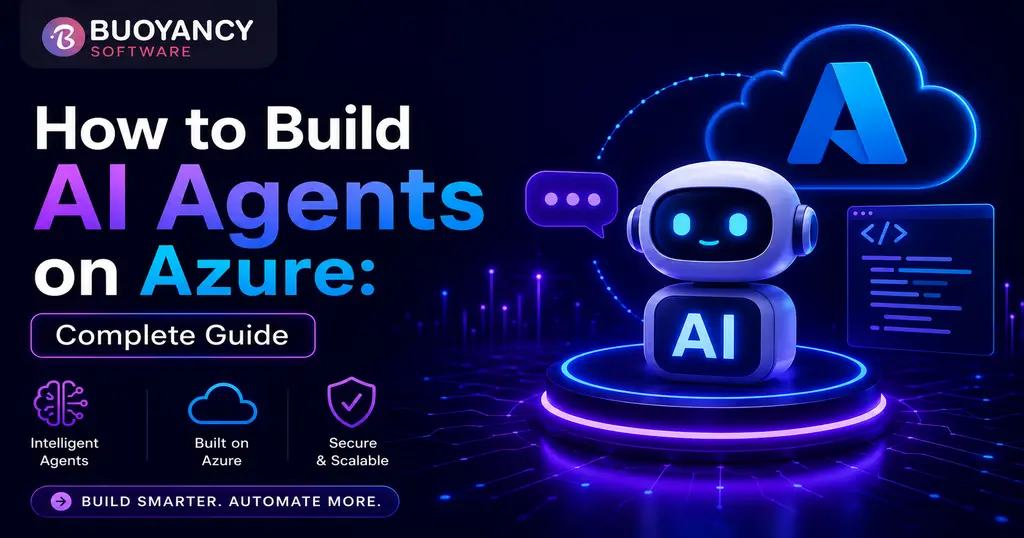
How to Build AI Agents on Azure: Complete Guide
This guide covers how to build AI agents on Azure, from core architecture and Microsoft Foundry to tools, memory, cost, and when to bring in specialized AI agent developers.


We have successfully completed projects with dedication to the highest levels of customer satisfaction.

Paycheck analysis service to ensure accurate compensation.

Web logistics solution for streamlined shipping and tracking.

Web platform for marketplace management and business insights.

Web solution for legal professionals with powerful case management.

Web software for handling and optimizing business operations.

An IoT-powered smart home app for efficient climate and air quality automation.

Interactive city discovery experience for events and places.

SaaS platform that turns inventory spreadsheets into online resale storefronts.
Inspire trust and foster an ethical culture to thrive.
 Excellence
 Transparency & Integrity
 Innovation
 Collaboration
 Accountability


We partners with businesses to simplify technology, unlock innovation, and build secure, scalable solutions that support long-term success.

This guide covers how to build AI agents on Azure, from core architecture and Microsoft Foundry to tools, memory, cost, and when to bring in specialized AI agent developers.
Most "how to build an AI agent" content skips the part that actually matters: an agent is not a chatbot with extra steps. A chatbot answers questions. An agent checks a system, decides what to do next, calls a tool, and reports back, often without a human watching every move. That distinction is exactly why Azure has become the default home for production agents. It gives you the model access, the orchestration framework, and the governance layer in one place, instead of duct-taping four separate services together.
This guide walks through what AI agents actually are, how the pieces fit together on Azure, what it costs to build one, and when it makes more sense to bring in a specialist team than to build it in-house.
An AI agent is a system built around a language model that can plan a sequence of actions, call external tools or APIs, retain context across steps, and adjust its plan based on what it finds. The model provides the reasoning. The agent framework provides the structure around that reasoning: what tools it can call, what data it can see, and what it is allowed to do without asking first.
This is different from a traditional chatbot , which mainly retrieves an answer and returns it, and different from robotic process automation, which follows a fixed script with no real decision-making. An agent sits between the two. It reasons like a model but acts like software, which is exactly why building one requires both AI skills and solid engineering discipline.
At a high level, building an AI agent on Azure follows a consistent sequence, regardless of the use case.
| Step | What Happens |
|---|---|
| 1. Define the task | Narrow the agent to one workflow with a clear success condition, not a general-purpose assistant. |
| 2. Choose the orchestration framework | Microsoft Agent Framework handles planning, tool calls, and multi-agent coordination. |
| 3. Connect a model | Select a model through Microsoft Foundry's catalog based on latency, cost, and reasoning needs. |
| 4. Add tools | Give the agent scoped functions, built-in tools, or MCP connections to real systems. |
| 5. Add memory | Store short-term conversation state and, where needed, long-term memory across sessions. |
| 6. Test with guardrails | Run the agent against real scenarios with logging before granting write access to anything. |
| 7. Deploy and monitor | Host through Foundry Agent Service with observability on tool accuracy and escalation rate. |
A well-built agent is really four layers working together, not one monolithic piece of code.
| Layer | Role | Azure Component |
|---|---|---|
| Reasoning | Plans steps and decides which tool to call | Model deployed through Microsoft Foundry |
| Orchestration | Manages state, sequencing, and multi-agent handoff | Microsoft Agent Framework |
| Tool access | Executes actions against real systems | Function tools, built-in tools, MCP servers |
| Governance | Logs decisions, enforces approval, and secures data | Content safety, Toolbox permissions, Azure Key Vault |
Keeping these layers separate matters more than it sounds. When the reasoning layer is not tangled up with the tool-execution code, you can swap models later without rewriting the agent's logic, which matters a lot given how often model options change.
One naming note before this section: Microsoft rebranded Azure AI Foundry to Microsoft Foundry at Ignite 2025, formalized in the January 2026 Product Terms. The underlying platform and Azure resource model did not change, only the name, so you will still see both terms in search results and documentation.
Microsoft Foundry is the managed backend most Azure AI agents run on. It provides a model catalog spanning OpenAI , Meta, Mistral, and other providers behind one endpoint, so switching models does not mean switching platforms. It also ships built-in tools like web search, a code interpreter, and file search that execute inside Foundry itself, removing the need to host that infrastructure yourself. Content safety and PII detection are built in as well, which matters once an agent is handling real customer data instead of a demo script.
If you are starting with nothing, here is the realistic order of operations.
For a full worked example of this exact pattern, including a real SaaS support-ticket agent, see our deep-dive guide on building a real-world AI agent with Microsoft Agent Framework, Foundry, MCP, and Aspire .
Tools are what separate an agent from a chatbot, and Azure agents typically draw on three categories.
| Tool Type | Runs Where | Example |
|---|---|---|
| Function tools | Your own code and infrastructure | A custom API call to your CRM or billing system |
| Built-in tools | Inside Microsoft Foundry | Web search, code interpreter, file search |
| MCP tools | A separately deployed MCP server | Secure, permissioned access to internal systems |
Memory works alongside tools. Short-term memory keeps track of the current conversation, while long-term memory, now offered as a managed capability inside Foundry Agent Service, lets an agent recall context across sessions without you standing up a separate database. Retrieval-augmented generation, or RAG, is what lets an agent ground its answers in your own documents instead of relying purely on the model's training data, which is essential for anything involving company-specific policies, product details, or account history.
Foundry Agent Service is the hosting and management layer specifically built for agents, distinct from just deploying a model endpoint. It handles agent versioning, tool registration, and now supports low-latency voice interactions for agents that need to operate in real time. Toolbox, a newer addition, gives teams a single governed way to configure which tools an agent can call, rather than granting broad access and hoping nothing goes wrong. For teams running multiple agents across departments, this centralized governance is often the difference between a manageable system and a compliance headache six months in.
| Industry | Agent Use Case |
|---|---|
| SaaS / Customer Support | Triage tickets, check account status, draft responses, escalate when needed |
| Financial Services | Summarize account activity, flag anomalies, prepare compliance-ready reports |
| Healthcare Operations | Schedule coordination, insurance eligibility checks, document summarization |
| Retail / E-commerce | Inventory queries, order status agents, personalized product recommendations |
| Enterprise IT | Internal helpdesk automation, access requests, incident triage |
Cost breaks into two separate buckets, and conflating them is where most budget estimates go wrong.
| Cost Factor | Typical Range | Notes |
|---|---|---|
| Initial development | $15,000 to $80,000+ | Depends on tool count, integrations, and approval workflow complexity |
| Model and inference usage | Usage-based | Billed per token through Microsoft Foundry's consumption pricing |
| Memory storage | ~$0.25 per 1K events stored | Short-term memory events |
| Long-term memory | ~$0.25 per 1K memories per month | Persistent memory across sessions |
| Memory retrieval | ~$0.50 per 1K retrievals | Cost of the agent recalling stored memory |
The development estimate swings widely because a single-tool, read-only agent and a multi-agent system with write access, approval workflows, and audit logging are simply not the same project, even though both get called "an AI agent" in a sales pitch.
Plenty of teams can build a working agent prototype in a weekend using a low-code tool or a simple script. Production is a different bar. You likely need specialized help once your agent needs to touch real customer data, take write actions with financial or operational consequences, run reliably without a developer babysitting it, or integrate with multiple enterprise systems through MCP or custom APIs.
If you are still scoping the project and have not settled on an architecture yet, our AI consulting services team can help you figure out where an agent actually fits before any code gets written. Once the scope is clear, that is usually the point where it makes sense to hire Azure developers who already understand Microsoft Agent Framework, Foundry's governance model, and how to design approval gates that do not slow the business down while still keeping a human in the loop where it counts.
Buoyancy Software is a Microsoft Solutions Partner and an ISO 9001 and ISO 27001 certified custom software and IT consulting company, with delivery teams in Ahmedabad, India and Edison, New Jersey. This guide reflects the same architecture principles our team applies when building production AI agents on Azure for clients.
Building a demo agent is straightforward. Building one that handles real customer data, takes real actions, and runs reliably without constant supervision is a different project entirely. Buoyancy Software designs and builds production AI agents on Azure using Microsoft Agent Framework and Foundry, with the governance and testing discipline enterprise workloads actually require.
Book a free consultation with our AI agent development team and find out what it would take to get your agent into production.
Get answers to the most common questions
about our products, services, and policies.